
If you’re a personal trainer, you already know the pain. You’re paying somewhere between $150 and $300 a month for scheduling software – Mindbody, Acuity, Calendly Pro – that does way more than you actually need. Most PTs just need clients to see when they’re available, book a session, and pay. That’s it. Three things.
Over a year, that subscription can add up to $1,800–$3,600. Over three years, you’ve spent more than $10,000 on software that’s really just a calendar with a payment button.
What if you could build your own booking app, tailored to your business, deployed live on the internet, in under 10 minutes? No coding. No developer. No monthly software subscription eating into your earnings.
That’s exactly what we’re going to do in this article.
What Your PT Booking App Actually Needs
Before building anything, let’s strip this down to what actually matters. The biggest mistake people make when planning software is overbuilding. You don’t need a Mindbody clone. You need a focused micro SaaS that does a few things really well.
Here’s the essential feature set for a PT booking app:
Session schedule display — your clients need to see what’s available. Group classes, 1-on-1 sessions, time slots for the week. Clean, simple, browsable.
Client booking — they pick a session, choose a date and time, and confirm. No account creation required for the first booking. Keep the friction as low as possible.
Payment processing — Stripe integration so clients pay when they book. No chasing invoices. No awkward “can you transfer me?” conversations after a session.
Booking confirmation — an on-screen confirmation with the details. Ideally an email confirmation too, so clients have something to reference.
Client management dashboard — a simple admin view where you can see upcoming bookings, client history, and manage your schedule. This is your back office.
That’s it. Five features. Everything else — waitlists, recurring memberships, class packages, referral programs — can come later. Ship the basics first.
The Traditional Way vs the AI Way
You’ve got three options for building this. Let’s be honest about what each one costs.
Hiring a developer. A freelance developer will quote you somewhere between $5,000 and $15,000 for a booking app with payments. Timeline: 4–8 weeks, assuming no scope creep (there’s always scope creep). You’ll also need to pay for hosting, a database, and ongoing maintenance. This is the right option if you need something highly custom, but for a straightforward booking system, it’s overkill.
No-code drag-and-drop builders. Tools like Bubble and Adalo let you build visually without writing code. The tools themselves are affordable ($25–50/month), but there’s a significant learning curve. Expect 2–3 weeks just to get comfortable with the interface before you can build anything useful. You’re trading money for time — and if you’re a PT running sessions all day, time is exactly what you don’t have.
AI micro SaaS builders. This is the new option. You describe what you want in plain English, AI builds it, and you deploy it live. The entire process takes minutes, not weeks. The tradeoff is that you get less granular control than a developer or a visual builder — but for a focused booking app, you don’t need granular control. You need it to work.
We’re going with option three.
Step by Step: Building It on vAIbecoder
Here’s the actual process, start to finish.
Step 1: Writing the prompt
The quality of your booking app depends almost entirely on the quality of your prompt. The more specific you are about who it’s for and what it should do, the better the output.
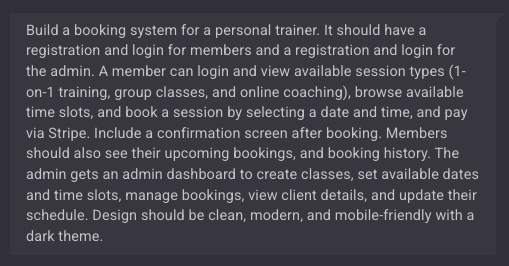
Here’s the exact prompt I used:
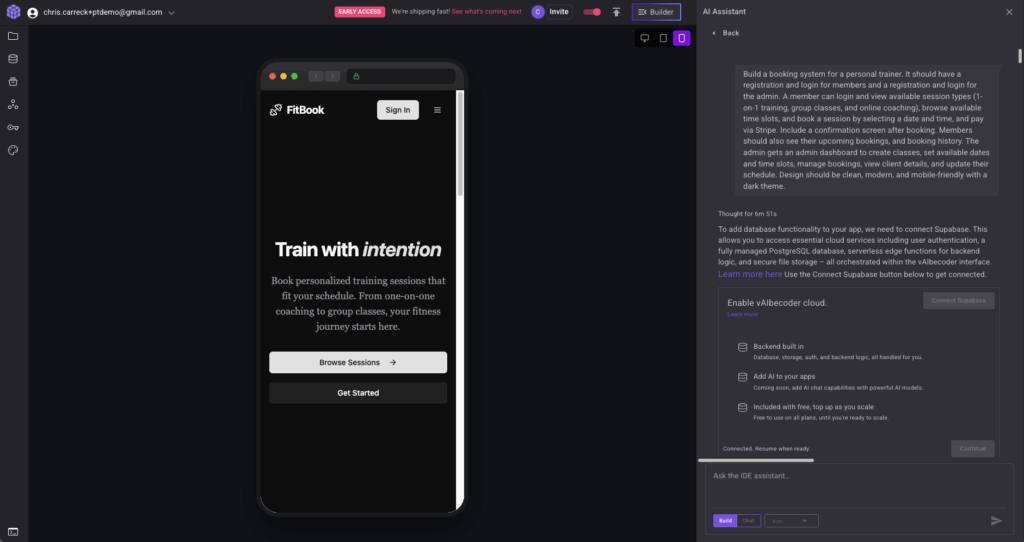
Build a booking system for a personal trainer. It should have a registration and login for members and a registration and login for the admin. A member can login and view available session types (1-on-1 training, group classes, and online coaching), browse available time slots, and book a session by selecting a date and time, and pay via Stripe. Include a confirmation screen after booking. Members should also see their upcoming bookings, and booking history. The admin gets an admin dashboard to create classes, set available dates and time slots, manage bookings, view client details, and update their schedule. Design should be clean, modern, and mobile-friendly with a dark theme.
Let’s break down why this prompt works:
WHO — “for a personal trainer.” This tells the AI the context. It’ll make design and terminology decisions based on the fitness industry, not generic business software.
WHAT — “booking system.” Clear and specific. Not “an app” or “a platform.” A booking system.
HOW — the details. Session types, weekly schedule, date/time selection, Stripe payments, confirmation screen, admin dashboard. Each of these becomes a feature the AI builds. If you don’t mention it, it won’t build it.
STYLE — “clean, modern, mobile-friendly with a dark theme.” This guides the design decisions. Without this, you’ll get something functional but generic. With it, you get something that looks like a designer touched it.
Step 2: What the AI generates
The AI will now prompt you for some further inputs. These are all designed to help guide you through adding a database, design, colour system, and payments.
First, the database, the system will ask you to connect Supabase. This is a FREE database system that all vAIbecoder apps use, and is industry standard. You can read more on how supabase works with vAIbecoder and what it does here.
The first step is to hook up your free Supabase account. Click the “Connect Supabase” button, and follow this guide. It will take approx 1-2 minutes.
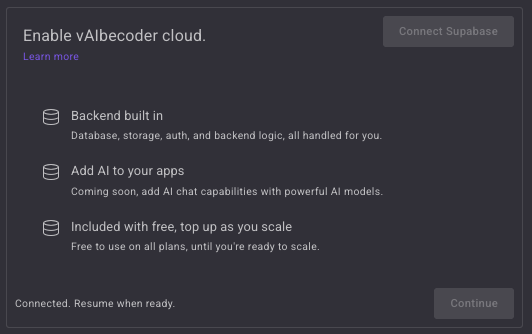
Once Supabase is connected, hit Continue.
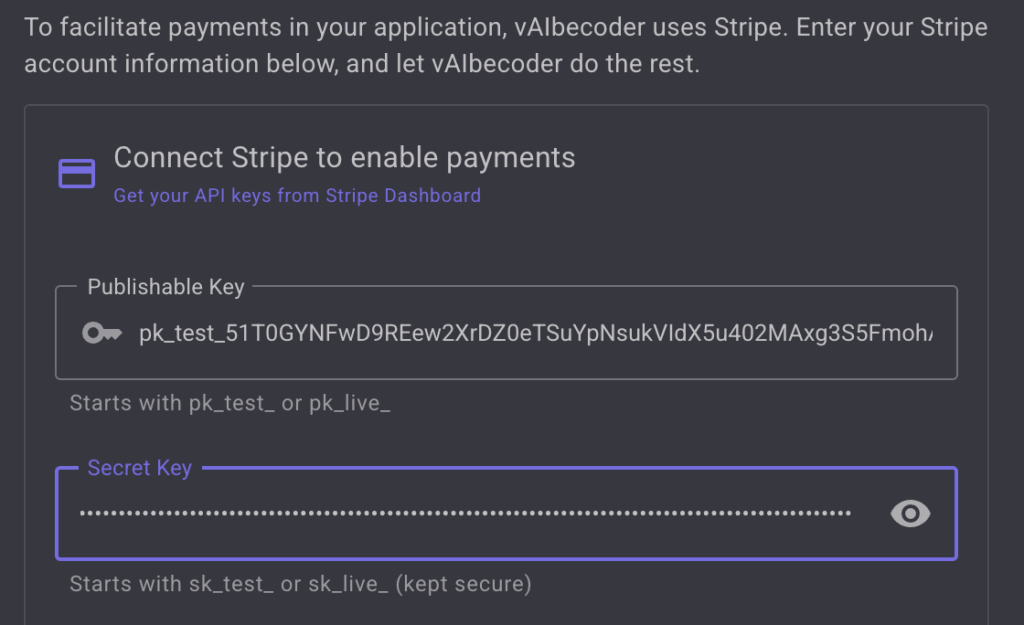
Second the AI will prompt you to add Stripe capability. You will need a Stripe account for this step. Any system that sets up Stripe payments will require you to have your own Stripe account. Dont worry, this is also free. Once you have created your account, go to Developers (bottom left) > API Keys.
Enter your keys into the input box on vAIbecoder. vAIbecoder does not see or store your keys. They are stored securely in Supabases secrets vault and cannot be viewed again once entered. They are not stored in code or in the vAIbecoder database and are never used in the browser.
You will then be prompted which type of payments you want to collect. Stripe can handle many types. For a PT booking system where users pay for one off classes rather than memberships, you can select one-time payments as the Payment Type.
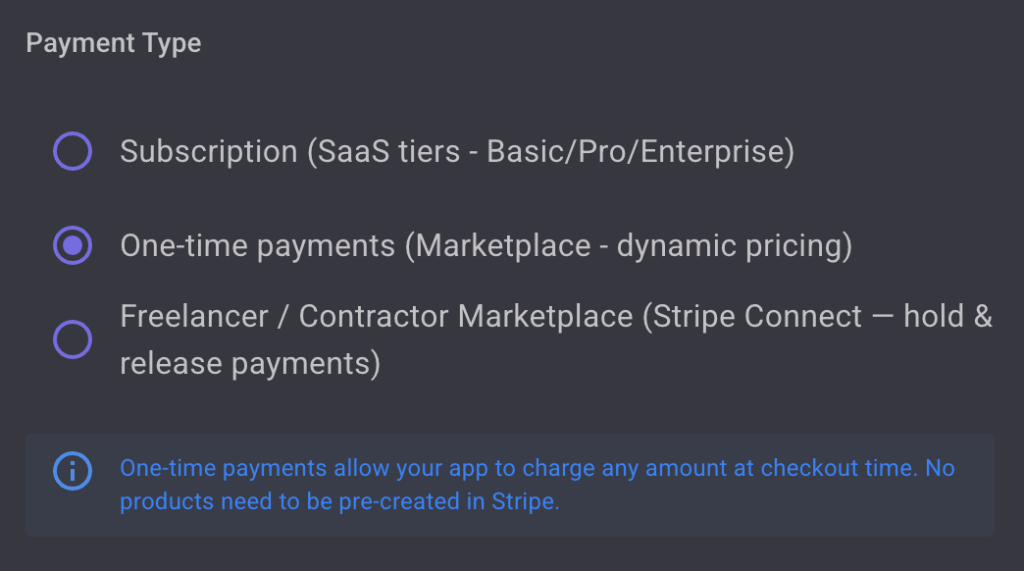
Click Continue.
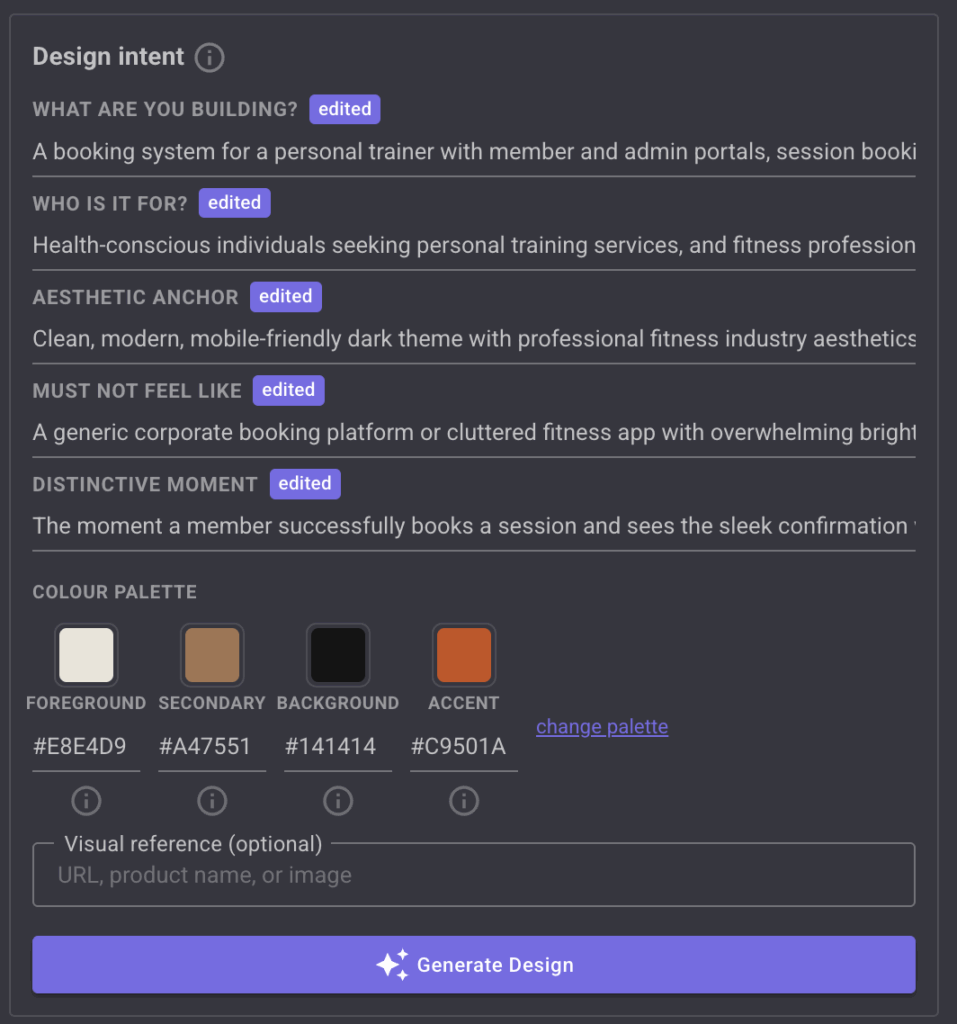
The last thing the AI will ask for is your design preferences. It will come up with a set of design intentions based on the prompt and the type of micro-SaaS you are building. You can edit this intent, and edit the colour palette to suit your desired design.
From this point, vAIbecoder generates a complete, working application. Here’s what you get:
A client-facing booking page with your session types displayed as cards. Each card shows the session name, duration, price, and a “Book Now” button. The design is clean and immediately communicates what you offer.
A schedule view where clients browse available time slots for the current week. Booked slots are greyed out. Available slots are selectable. It’s intuitive — no instructions needed.
A booking flow that walks the client through selecting a session type, picking a date and time, and entering their payment details via Stripe. The whole flow is 3 screens: choose, confirm, pay.
A confirmation screen that shows the booking details — session type, date, time, and a confirmation number. This is what the client screenshots or saves.
A trainer admin dashboard where you can see all upcoming bookings, client contact details, and manage your availability. You can add or remove time slots, block out days off, and see your schedule at a glance.
All of this is generated from one prompt. The database, the authentication, the payment processing, the frontend – all wired together and working.
Step 3: Reviewing and refining
Your first build will be close, but you’ll probably want to adjust a few things. This is where follow-up prompts come in. You don’t start over, you iterate.
Some examples of refinements you might make:
- “Add a client login so returning clients can see their booking history”
- “Add the booking flow to the main landing page.”
- “Add a cancellation policy note on the booking confirmation — 24 hours notice required”
- “Make the mobile layout stack the session cards vertically”
Each follow-up prompt modifies the existing app. You’re refining, not rebuilding. Think of it like giving feedback to a developer or designer, “add this feature”, “add this page”, “move this here, change that colour, add this section.”
Sometimes you may also encounter errors. vAIbecoder lets you automatically resolve this errors with the “Fix this error” button. When an error occurs it will automatically appear in the console.
Click the Fix this error button, the error will automatically be added to the prompt input. Submit the text, and the AI will resolve it.

Step 4: Deploying it live
Once you’re happy with the app, you deploy it. On vAIbecoder, use the up arrow in the top nevigation bar. This will open a menu, click the publish button.
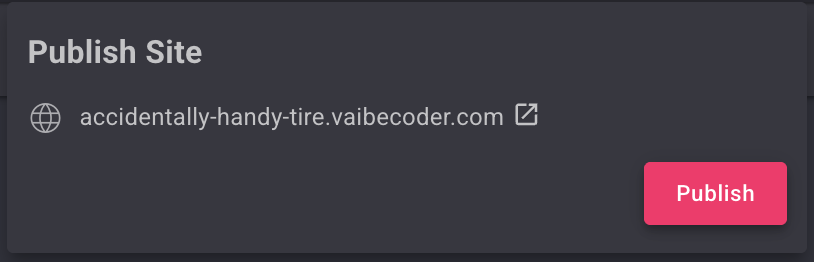
If there is a problem during the deployment, the system will try and auto-resolve it. Once the AI resolves it, you may need to publish again.
Once the build is succesful, you will see a site published message in the terminal.

You can ignore the error in this case, the site is now published. Go back to the publish menu in the top nav, and click the URL, it should open your published app in a new tab.
Your booking app now has URL that you can share with clients immediately.
No configuring servers. No setting up hosting. No DNS records. No SSL certificates. It’s live, it’s hosted, and it works.
You can share the link on your Instagram bio, add it to your website, text it to clients, or print it on a business card. Clients click the link, book a session, pay, and you see it in your dashboard.
Customising It for Your Business
Once the basics are working, you can extend your booking app with follow-up prompts. Here are some ideas that work well for PTs:
Waitlists — “If a group class is full, let clients join a waitlist. Notify them if a spot opens up.” This is particularly useful if you run popular group sessions.
Email confirmations — “Send the client an email confirmation after booking with the session details, location, and a calendar invite link.” Reduces no-shows and looks professional.
Recurring bookings — “Let clients book a recurring weekly slot. Same day, same time, auto-billed monthly.” Your most loyal clients will love this.
Each of these is a follow-up prompt. You’re building incrementally, adding features as you need them rather than paying for a platform that bundles 50 features you’ll never touch.
What This Costs vs the Alternatives
Here’s the honest cost comparison for a PT booking app:
Mindbody — $179/month for the Starter plan. You get far more than a booking system, but you’re paying for features aimed at large studios, not solo trainers. Annual cost: $2,148.
Acuity Scheduling — $16–49/month depending on the plan. Solid for basic scheduling but limited customisation. Payments require a separate Stripe or Square account. Annual cost: $192–$588.
Hiring a freelance developer — $5,000–$15,000 one-off, plus $20–50/month for hosting and maintenance. You get exactly what you want, but it takes weeks and ongoing costs add up. First-year cost: $5,240–$15,600.
vAIbecoder — Free tier includes 5 build credits per day. Pro plan is $15/month for unlimited builds. Hosting and database included. Annual cost: $0–$180.
The point isn’t that the other options are bad — Mindbody is excellent for large studios, and a custom developer build gives you maximum flexibility. The point is that for a solo PT who needs a clean booking system with payments, spending $2,000+ a year is hard to justify when you can build one for free.
Try It Yourself
If you’ve been paying for scheduling software that does more than you need, or you’ve been sitting on the idea of building your own booking system, you can try it right now.
Head to vaibecoder.com, paste in the prompt from this article (or write your own), and see what comes out. The free tier is enough to build and deploy a complete booking app.
Your clients get a professional booking experience. You keep more of what you earn. And you built the whole thing yourself, without writing a single line of code.
Frequently Asked Questions
Can I build a booking app without knowing how to code?
Yes. AI-powered micro SaaS builders like vAIbecoder let you describe your booking app in plain English. The AI handles the code, the database, the payment integration, and the hosting. You don’t need any technical background.
How much does it cost to build a booking app?
It ranges widely. Hiring a developer costs $5,000–$15,000. No-code builders cost $25–50/month plus a learning curve. AI builders like vAIbecoder offer a free tier that’s sufficient for a complete booking app, with a Pro plan at $15/month.
How long does it take to build a booking app with AI?
The initial build takes minutes — you write a prompt describing what you want, and the AI generates the complete application. Refining and customising typically takes another 30–60 minutes. You can go from idea to deployed, live booking app in a single afternoon.
Can I accept payments through my AI-built booking app?
Yes. vAIbecoder includes Stripe integration, so your clients can pay when they book. Stripe handles credit cards, debit cards, and other payment methods. Funds go directly to your Stripe account.

Leave a Reply